Prerequisites for installation and use:
- Enki App* + Enki Box
* Prerequisites for the Enki app: Internet access and a phone with minimum operating system: Android: 7 / iOS: 15
Communication protocol:
- Enocean
Available country:
- France
State feedback available:
- Yes
Alexa voice control:
- Not direct, but possible via manual scenarios
Google Home voice control:
- Not direct, but possible via manual scenarios
Article content:
Technical description
Product functionality in the ENKI app
Product view
What does my product's LED status mean?
How to calibrate my device?
How to reset my device?
Technical documents / user manual
Technical description:
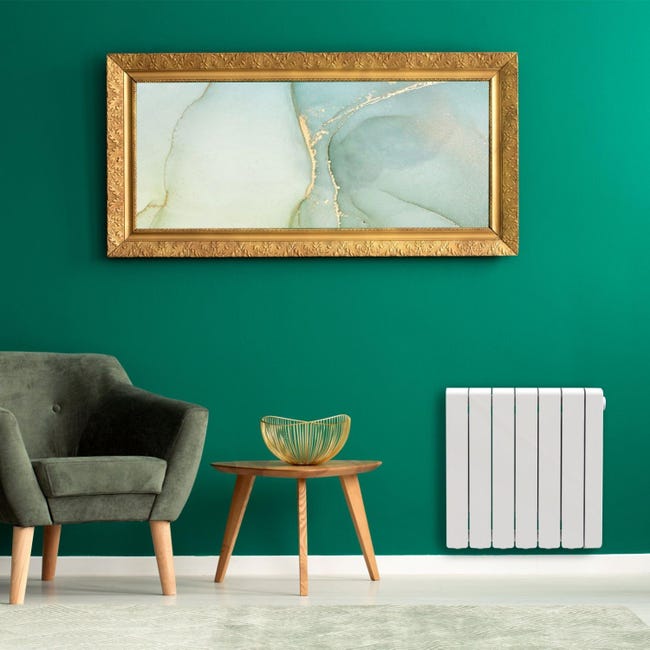
- Type: Connected fluid inertia electric radiator
- State feedback: Yes
- Requires Enki box: Yes / ENKI Box V1
-
Color: White or gray
- Mains voltage: 230V +/-10% AC 50 Hz
- Insulation class: Class II
- Water protection rating: IP24
- Operating temperature: 0 to 50°C
- Storage temperature: -15 to 70°C
- Operating humidity: 0 to 85% non-condensing
- Regulation: Proportional and Integral
- Temperature adjustment resolution: 0.5 °C
- Temperature range: 7° to 30°C
- Temperature resolution: Display at 0.1°C
- Stand-by consumption: < 0.5 W
- Network protocol: EnOcean
- Frequency band: 868 MHz / 868.6 MHz
- Maximum transmitted RF power: 3.2 dBm
Product functionality in the ENKI app:
| Device functionality | Properties | Scenario integration | ||
| Actions | Triggers | Conditions | ||
| Change thermostat target temperature | Min: 7° / Max: 30° / Step: 0.5° | ✔ | ✘ | ✘ |
| Create an override | Temporarily change the equipment temperature for a given time when it is in a schedule | ✘ | ✘ | ✘ |
| Temperature data logging | Logging of temperature readings by "day", "week", "month" and "year" |
✘ | ✘ | ✘ |
| Scheduling | Via heating menu or unitary via control board | ✘ | ✘ | ✘ |
| Check / Retrieve electrical consumption | Via cumulative consumption and consumption history (day, week, month, year) |
✘ | ✘ | ✘ |
| Retrieve ambient temperature | Min: 0° / Max: 40° / Step: 0.1° |
✘ | ✔ | ✔ |
|
|
|
| Control page | Settings |
Product view:
What does the radiator screen status mean:
| Not connected to the Enki box | Searching for signal to connect to the Enki box | Connected to the Enki box |
| Heating in progress | Override activated (Manual mode) / Enki box no longer controls |
How to calibrate my device?
How to reset my device?