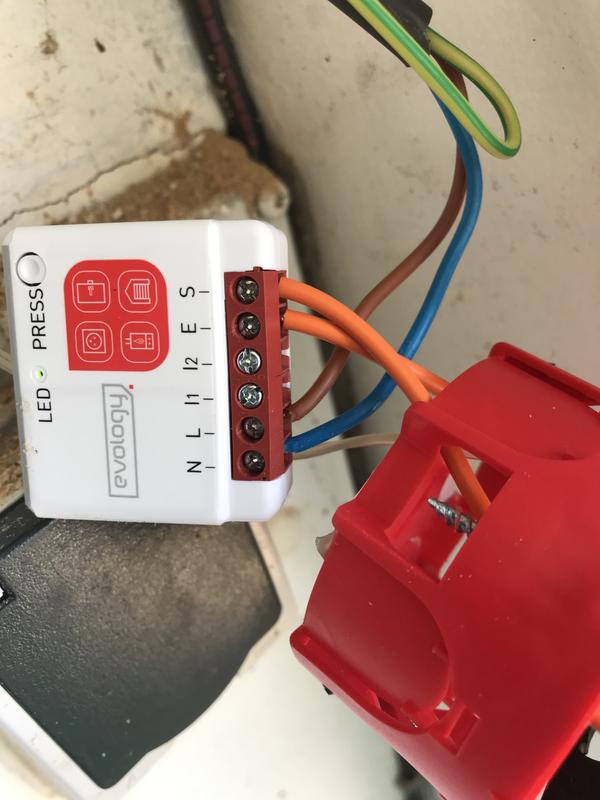
Prerequisites for installation and use :
- Enki Application* + Enki Box
* Prerequisites for the Enki application: Internet access and a phone with minimum operating system: Android: 7 / iOS: 15
Communication protocol:
- Enocean
Available countries:
- France
State feedback available:
- No
Alexa voice control :
- Not direct, but possible via manual scenarios
Google Home voice control :
- Not direct, but possible via manual scenarios
Article contents:
Technical description
Product functionality in the ENKI application
Product view
What does the LED status of my product mean?
How to reset my device?
Technical documents / user manual
Technical description:
- Type: Connected dry contact module for boiler, garage door, gate, electrical outlet, and electric strike
- Requires Enki box: Yes / ENKI Box V1
- State feedback: Only for electrical outlet mode
- Power supply: 230V AC 50Hz
- Maximum motor power: 2300 W (resistive load)
- Operating temperature: from 0°C to 40°C
- Dimensions: 40 mm (w) x 44 mm (l) x 16.9 mm (h)
- Radio protocol: EnOcean
- Central radio frequency: 868.3 MHz
- Frequency band used: 868.0 to 868.6 MHz
- Maximum radio power: +3dBm
- Signal range: 20-30 meters indoors
- EEP (EnOcean® Profile): D2-01-0F
Product functionality in the ENKI application:
| Device functionality | Properties | Scenario integration | ||
| Actions | Triggers | Conditions | ||
| Activation with timer | Short ON-OFF pulse |
✔ | ✘ | ✘ |
| Control page | Settings | |
Product view:
What does the LED status of my device mean:
| Flashing red |
Flashing red Flashes green twice And solid green. |
Solid green | Flashing orange |
|
Module in listening mode. Ready to receive the pairing signal from the Enki box |
Detection of a pairing signal during listening phase. |
Module powered / Standard state (This does not mean it is associated with the ecosystem) |
Pre-reset phase Waiting for confirmation for full reset |
How to reset my device?