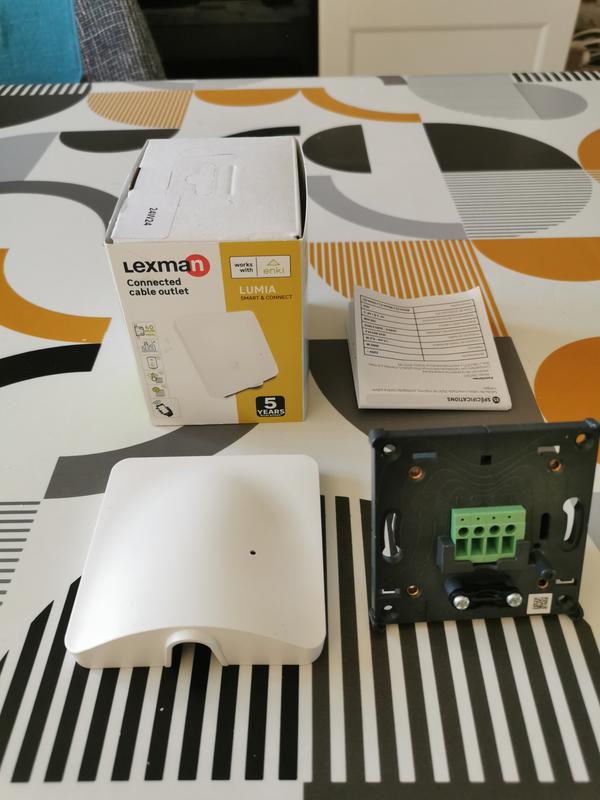
Prerequisites for installation and use :
- Enki App* + Enki Box or Enki Connect Box / Essentiel b Connect
* Prerequisites for the Enki app: Internet access and a phone with minimum operating system: Android: 7 / iOS: 15
Communication protocol:
- Zigbee
Available country:
- France
Status feedback available:
- Yes
Alexa voice control:
- Yes
Google Home voice control:
- Yes
Article contents:
Technical description
Product functionality in the ENKI app
Product view
What does the LED status of my product mean?
How to reset my device?
Technical documents / user manual
Technical description:
- Type: Connected cable outlet for radiator with pilot wire, on/off radiator, and water heater
- Requires ENKI box: Yes / ENKI Box V1 - ENKI Connect Box
- Status feedback: Yes
- Product reference: 85089429
- EAN code: 3276007429152
- Radio protocol: Zigbee 3.0 (802.15.4)
- Radio frequency: 2.4 GHz
- Frequency band used: 2400.0 - 2483.5 MHz
- Maximum radio power: 100 mW
- Range: Up to 10m indoors
- Operating temperature: +5° C TO +45° C
- Protection rating: IP21
- Dimensions: 85mm (w) x 85mm (l) x 51mm (h)
- Power supply: 230V AC ~
- Consumption: 1.5 mA - 0.2 W
- Max power: 3000 W
- Main material of total product mass: PVC
- Color: white
- Use: Indoor
- Measurement of instantaneous power (W) and cumulative energy (Wh): Requires ENKI box
Product functionality in the ENKI app:
| Device functionality | Properties | Scenario integration | ||
| Actions | Triggers | Conditions | ||
| Turn on / Turn off | On - Off function of the product | ✔ | ✔ | ✔ |
|
Timer function: Turn off in / Turn on in |
Set a time during the day to turn the device "OFF" or "ON" | ✘ | ✘ | ✘ |
|
Timer function: Cancel the timer |
"STOP" the timer set for "Turn off in or turn on in" |
✘ | ✘ | ✘ |
| Programming | Via the heating menu | ✘ | ✘ | ✘ |
| Active power | See the power consumed by the device at the present moment | ✘ | ✘ | ✘ |
| Check / Retrieve electrical consumption | Via cumulative consumption and consumption history (day, week, month, year) |
✘ | ✘ | ✘ |
|
|
|
| Control page | Settings |
Product view:
What does the LED status of my device mean:
| Solid red light | Green blinking | Solid green | Off, device controllable |
| Not paired. | Pairing in progress. Searching for signal. | Paired. |
Paired. (The light turns off after a long delay even if paired) |
How to reset my device?