Prerequisites for installation and use:
- Enki Application
* Prerequisites for the Enki application: Internet access and a phone with minimum operating system: Android: 7 / iOS: 15
Communication protocol:
- Wi-Fi
Available countries:
- France**
- Spain
- Italy
- Portugal
State feedback available:
- Yes
Alexa voice control:
- Yes
Google Home voice control:
- Yes
Article content:
Technical description
Product functionality in the ENKI application
Product view
What does the LED status of my product mean?
How to reset my device?
Technical documents / user manual
Technical description:
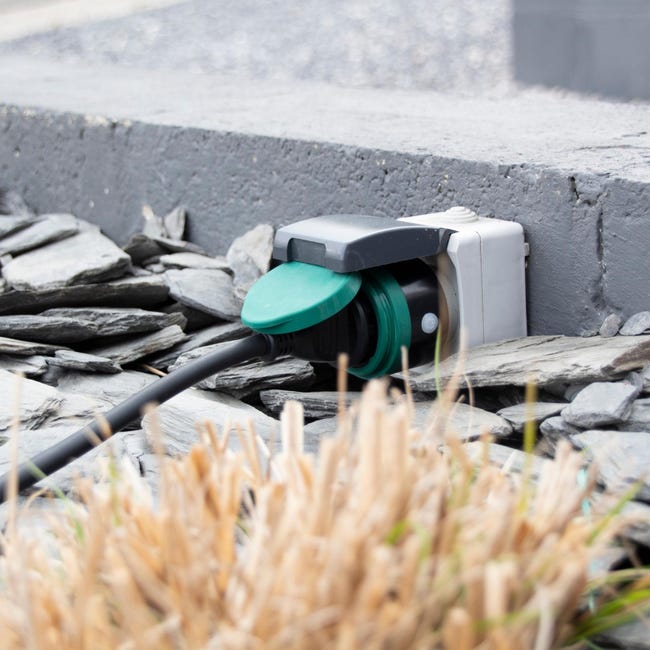
- Type: Connected plug
- Requires Enki box: No
- State feedback: Yes
- Use: Indoor and outdoor
- Protocol: Wi-Fi
- Frequency: 2.4 GHz 802.11/b/g/n
- EIRP: max. 0.7 mW
- Power supply: 230 V ~ 50 Hz Max.: 3680W resistive load / 16 A
-
Dimensions:
- 53038: 55 x 82 mm
- 53039: 54 x 98 mm
- Water resistance rating: IP44
- Color: Black and green.
- Free field range: 30m
To pair the device, your Wi-Fi network must be configured with WPA2 on the 2.4 GHz frequency.
If your 2.4 GHz Wi-Fi network is mixed with 5 GHz, 6 GHz, or 7 GHz frequencies, it is essential to separate the bands and assign a distinct SSID (Wi-Fi network name) to each frequency.
Product functionality in the ENKI application:
| Device functionality | Properties | Scenario integration | ||
| Actions | Triggers | Conditions | ||
| Turn on / Off | Product "ON" - "OFF" function | ✔ | ✔ | ✔ |
| Check / Perform available updates | OTA update available |
✘ | ✘ | ✘ |
| Retrieve firmware version | Retrieve and display the device's current firmware version |
✘ | ✘ | ✘ |
| Change network connection | Change network connection without deleting the device |
✘ | ✘ | ✘ |
|
Timer function: Turn off in / Turn on in |
Set a time during the day to turn the device "OFF" or "ON" | ✘ | ✘ | ✘ |
|
Timer function: Cancel the timer |
"STOP" the timer set to "Turn off in or turn on in" |
✘ | ✘ | ✘ |
| Programming |
Set a start time and device state Set an end time and device state (optional) Choose execution days |
✘ | ✘ | ✘ |
|
|
||
| Control page | Settings | |
Product view:
What does the LED status of my device mean:
| Slow blinking red + temporary Wi-Fi network | Slow blinking blue | Fast blinking red |
| Factory reset plug, no data, ready to be paired | No data, plug disconnected. | No data, pairing in progress, smartphone connected to the plug. |
| Fast blinking blue | Fast blinking blue + temporary Wi-Fi network | Solid blue |
| Data present, plug disconnected, connecting to Wi-Fi access point. | Data present, plug disconnected. Reconnection required. | Data present, paired |
How to reset my device?