This guide walks you through step-by-step to resolve connection issues with your Noirot heating devices within the Enki app. By checking these few prerequisites and following the recommended steps, you will quickly regain remote control of your heating system.
🛠️ Troubleshooting Guide
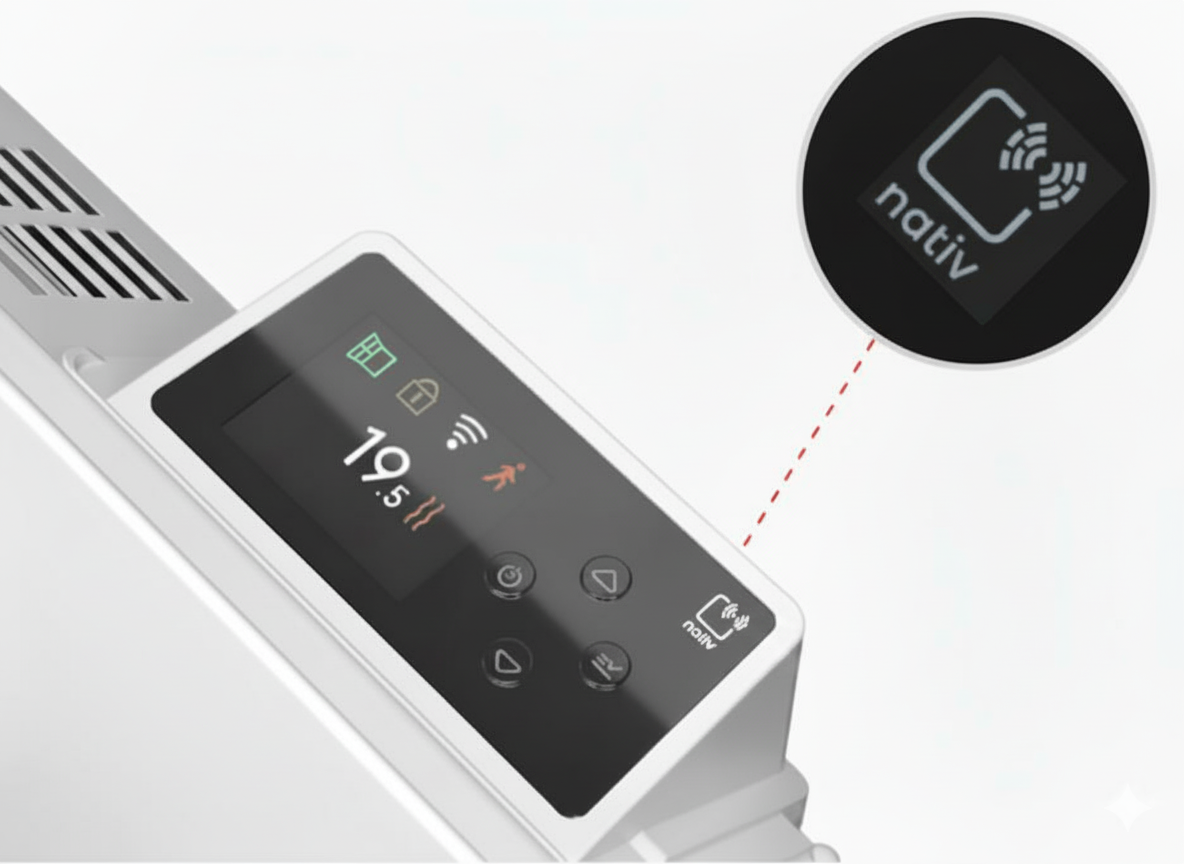
Check for "nativ" Compatibility
To ensure your Noirot heater integrates perfectly with your Enki environment and communicates smoothly, simply make sure the word “nativ” is clearly marked on the device before starting its installation.
Heater Software Update and Version
For a stable and smooth connection, your heater must have at least software version 3.0.8, which you can verify in its settings. If you have trouble updating it directly from Enki, just use the Intuis Compagnon app to install the latest version easily, then try pairing again in Enki with a fully updated device.
How do I check the software version of my Noirot heater?
Requirements for the Actibain Connect Towel Warmer
To ensure proper communication between your Actibain towel warmer and the app, check that the manufacturing date on its label is later than 28/26, or be sure to update it via the Intuis Compagnon app if you have an older model with firmware below version 2.0.5.
How do I update an Actibain towel warmer that is not compatible with Enki?
Power Cycle
To clear any temporary software glitches that might block pairing, briefly cut power to your heating device directly at your electrical panel (circuit breaker) for a few seconds, then restore power.
Factory Reset
If connection issues persist despite the power cycle, restore the device’s original settings by following these steps:
- Go to the settings
menu of your heater
- Select Reset
- Then choose Factory Reset
- Confirm
Re-sync
Once your device has been successfully reset, complete the setup by simply restarting the pairing process from your Enki app.