This support guide will walk you through step-by-step to resolve connection issues encountered in your Enki app by verifying the prerequisites of your devices and performing a complete reset.
Before you begin
Checking the compatibility of Noirot heaters
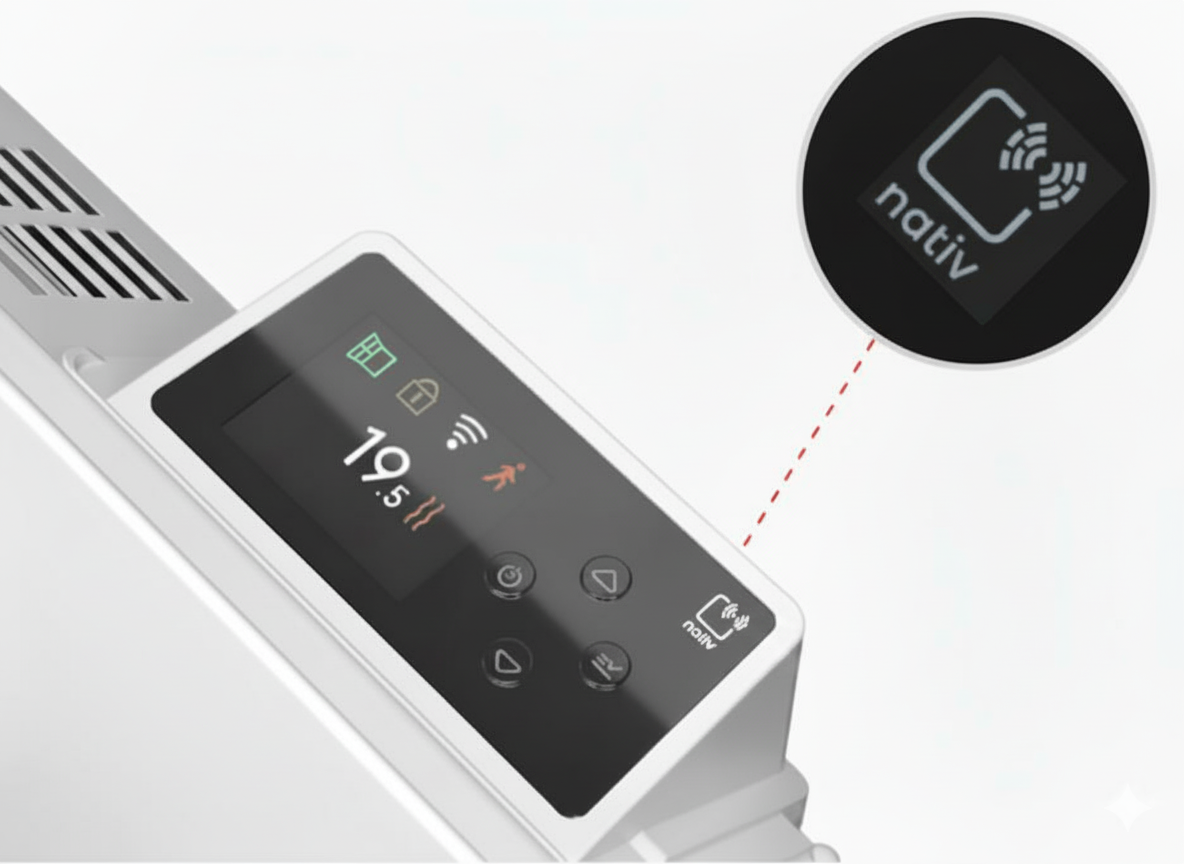
To ensure that your Noirot heater can integrate perfectly with your Enki setup, simply check that the mention "nativ" is present on it before starting the installation.
Prerequisites for Actibain Connect towel dryer
To ensure proper communication of your Actibain towel dryer with the app, check that its manufacturing date on the label is later than 21/26, or be sure to update it via the Intuis app if your model is older (and equipped with firmware below version 2.0.5) by following the procedure dedicated to non-compatible devices: How to update a non-compatible Actibain towel dryer with Enki?
Power cycle
In case of unexpected behavior or persistent difficulty pairing your heater or towel dryer, briefly cut their power supply at your circuit breaker for a few seconds, then restore it to clear any temporary software blocks.
Reset procedure
If connection problems with your heating device persist despite the power cycle, restore its original settings by following these steps:
- Go to the settings
menu of your heater
- Select Reset
- Then choose Factory Reset
- Confirm
New synchronization after reset
Once your device has been successfully reset, complete its reinstallation by restarting the pairing from your Enki app to regain remote control, using our pairing demonstration video if needed (available for heaters).