This control screen allows you to monitor your home in real time and easily interact with your camera through viewing, communication, and intelligent detection management features.
Video Display
Battery Level 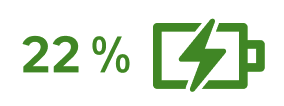
To avoid any unexpected interruptions to your security system, keep an eye on your device’s remaining battery life by checking the charge indicator displayed directly on your screen.
Live Video
To monitor what’s happening at your home in real time and with precision, watch the video stream from your camera and enlarge the image to full screen simply by pressing the enlargement button
Take a Photo
To keep an immediate visual record of an event, capture a snapshot on the spot by pressing the camera icon ; the image will then be instantly saved to your smartphone’s gallery.
Record a Video
To capture a full live sequence, start and stop a recording with a single press of the button ; the video will then be automatically saved to your phone’s gallery.
Talk via the Camera
To communicate with someone at your home or remotely deter an intruder, activate your phone’s microphone via the icon so that your voice is directly broadcast through the camera’s speaker.
Listen via the Camera
To hear any sound in the monitored room and clear up any doubts, press the speaker icon to transmit live sounds captured by the camera’s microphone to your phone.
Spotlight
To illuminate a dark area or surprise a nighttime visitor, turn on the built-in spotlight by pressing the icon ; you can manually turn it off or let it switch off automatically when you leave the screen to save battery.
Manage Detections
Motion Detection
To secure your home comprehensively when you are away, set detection to "Motion" mode so that the camera starts recording and notifies you as soon as it detects any activity within its field of view.
Human Shape Detection
To avoid being disturbed by false alerts caused by animals or external elements (e.g., wind in the trees), choose the "Human Shape" mode which triggers recording and notifications only when a human silhouette is identified.
Disable Detections
To preserve your peace and privacy when you are at home, select the "Disabled" mode so that the camera ignores movements and stops sending you alerts.
ℹ️ Good to know: You can simplify your daily routine by automating your camera’s behavior using Enki scenarios. For example, create a scenario to automatically disable the camera’s motion detection at the exact moment you arrive home and turn off your alarm!